How to set Date and Time on MAG device?

Setting up time and date on your MAG box is an important step towards setting up your IPTV subscription on your MAG box. This will allow the EPG to be displayed properly based on your local time.


How to set up Time and Date on MAG

On your remote control, press “OK” to get the channel list appears.
Press “Exit” on the remote (it places near the arrows).
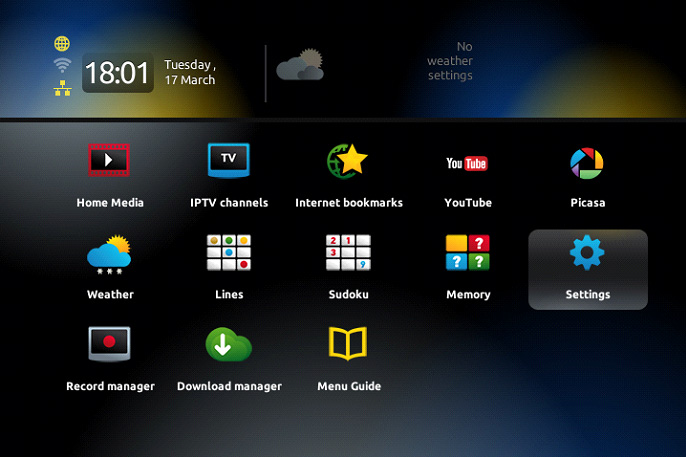
Go to “Settings“.
Press  “OK“.
Go to localization and here you can update the time settings.
Go back to Servers and enter “pool.ntp.org
Once done, it should be updated within 24 hours.
¿Fue útil la respuesta?

 Imprimir éste Artículo

Leer también

MAG BOX: How to enter playlist to iptv mag 250/254

  We will show you how to put playlist m3u file in a MAG device.In the internal software....

MAG Box: How to check and update your MAG device

  Here we show you how to update your mag device if there is update for your device. It's to...

How to use Catch-up on MAG?

In broadcasting live TV channels, the catch up is the recording of live TV programs to an IPTV...

Suggestions for Purchase a MAG Box

In this article we are going to give you some useful information to make the best decision before...

What is MAG Portal?

A stalker portal is a link between your MAG device and the IPTV feeds which supplies all the...